

Following up on the recent list conditions for Registrations signup questions, People Lists now has two more Registrations conditions. You can find people by the add-ons they picked or by whether they submitted a form for a signup. Then email, report on, or automate from that list like any other.
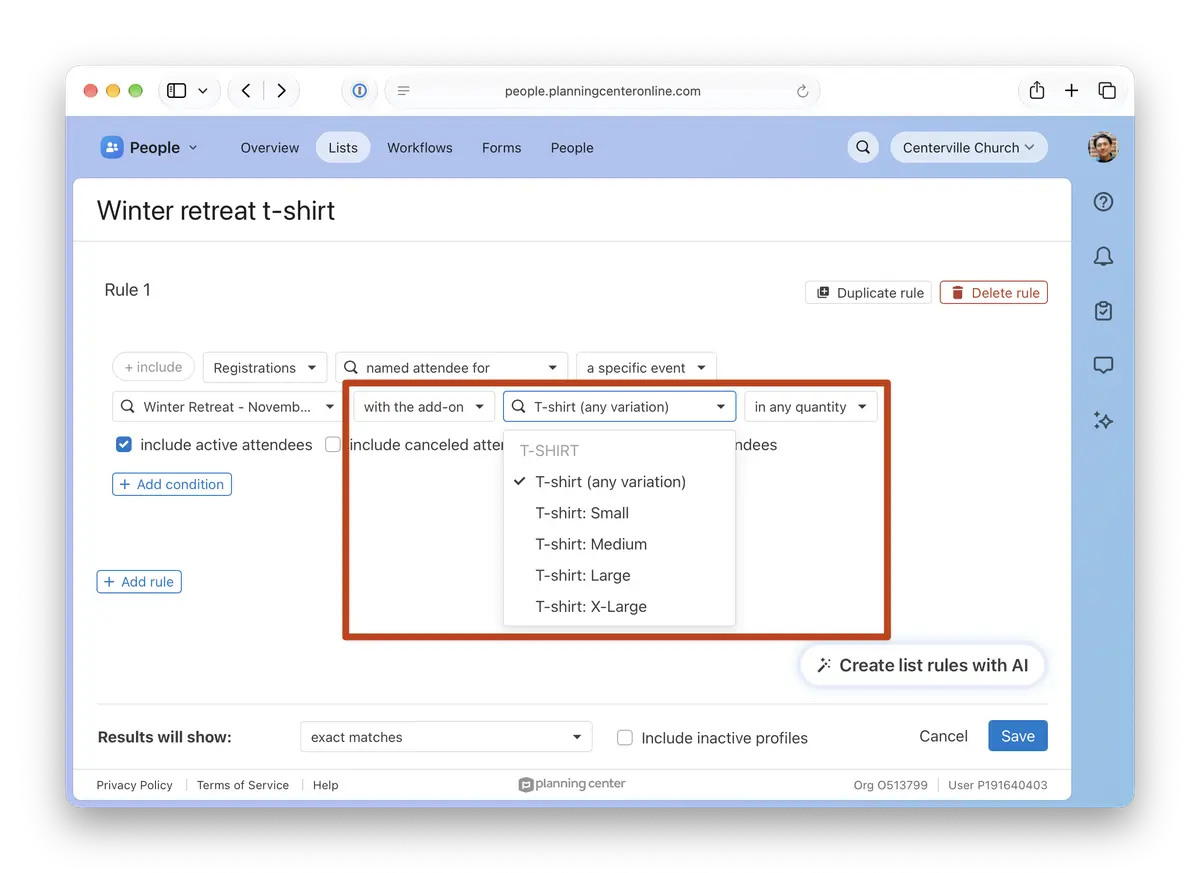
Add-ons
Pick a signup, then choose an add-on or one of its variations, like a medium T-shirt or the Saturday lunch. Your list includes everyone who selected it.
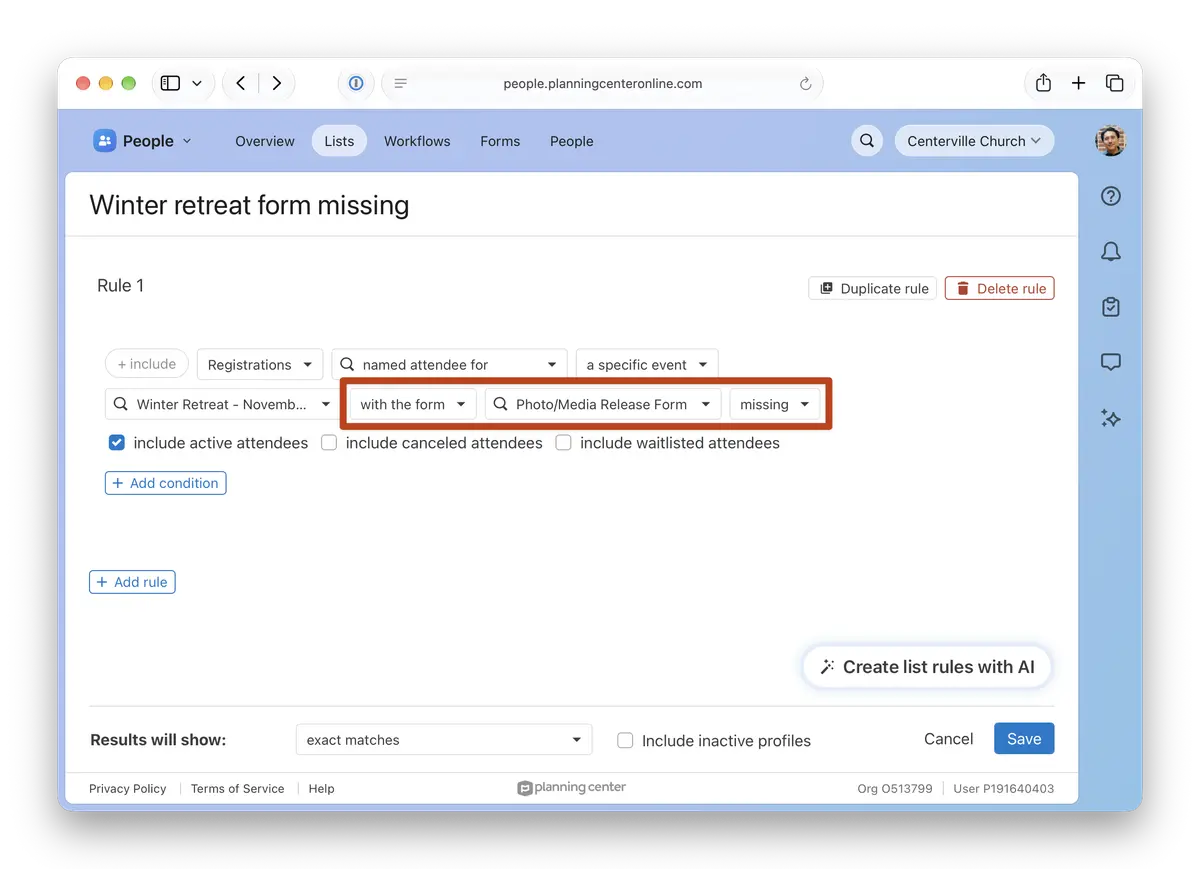
Form submissions
Pick a signup, choose a form, then choose received to find people who have submitted the form, or missing to find people who have not.
Why this matters
Registrations already lets you filter by add-ons and forms inside a signup, but the results stayed there. As list conditions, you can combine them with anything else in People Lists, keep the list current as new registrations come in, and use it in automations, workflows, and reports.
Build a shirt order list by size that updates as people register
Find people from a specific campus who picked the bus add-on
Add everyone who submitted the volunteer waiver to a serving team workflow
Combine with conditions from other products, like Groups or Check-Ins
Where to find it
In People, go to Lists and add a Registrations condition. Pick a specific signup, then select with the add-on or with the form.
💙 The People and Registrations Teams