

Forms collect all kinds of helpful information, but until now, it's been hard to act on how people actually answered. Say you wanted to follow up with everyone who asked about baptism on your Connect Card. You either had to set up a custom field or workflow on the form ahead of time, which didn't help with submissions you'd already collected, or export a CSV, filter it in a spreadsheet, and paste emails into another tool, then start over when the next submission came in.
Today, you can build a list from those answers instead. It includes past submissions and updates as new ones come in.
How it works
If you've tried the recent list conditions for Registrations signup questions, this will feel familiar. In a list's Forms condition, after you select the form and timeframe, you'll see a new "with answer to" option. Pick a question, and the operator and input adjust to match it — a date question gives you date comparisons, a dropdown lets you pick from the actual answer options, a number question lets you set ranges, and so on.
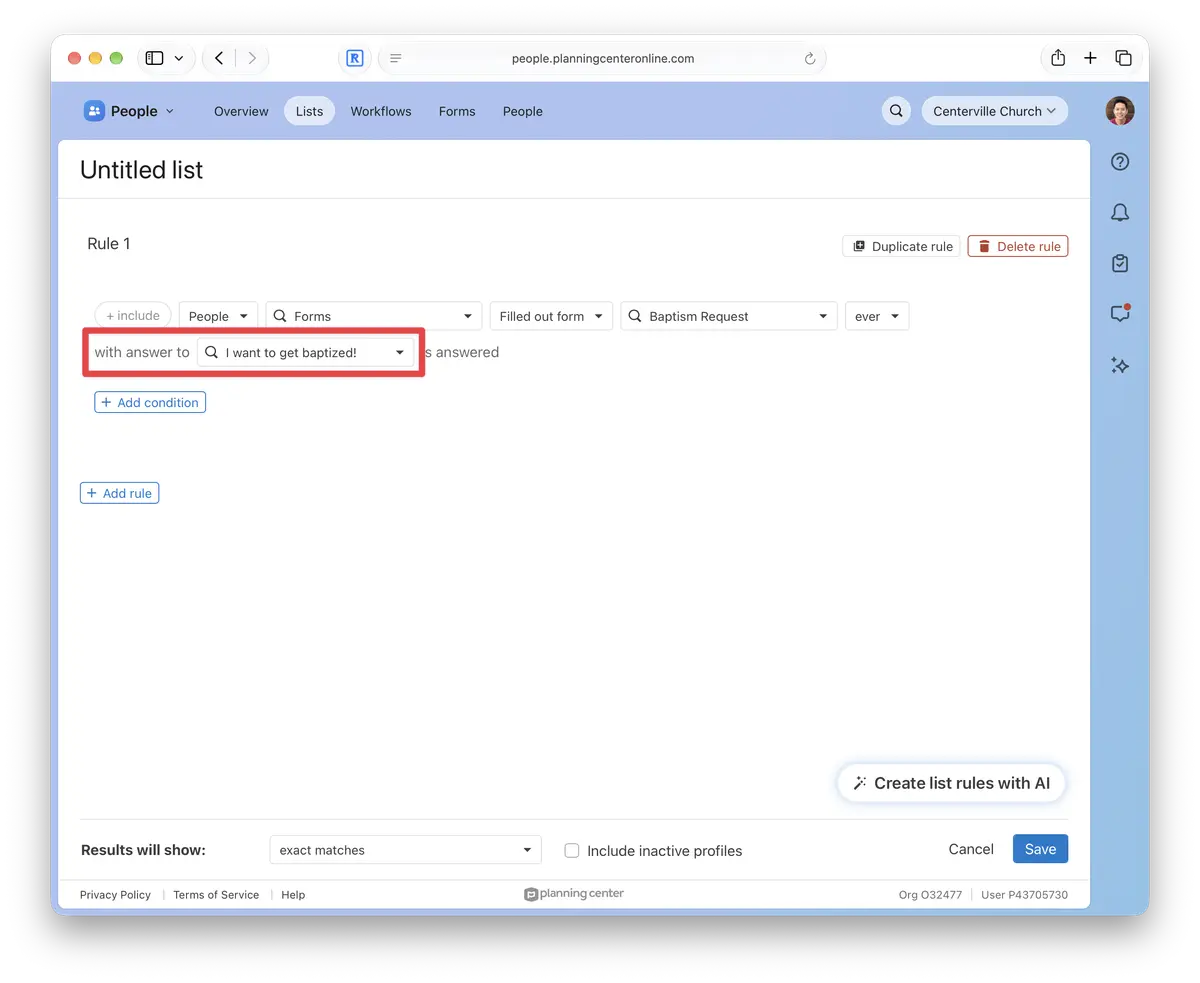
From there, you can email everyone on the list, perform bulk actions, or share it with others on your team handling follow-up. If the list refreshes automatically, they'll always see the latest responses.
When to use a list instead of a form automation
Form automations work well when you know ahead of time what a single answer should trigger. Lists are the move when you want to look back at past submissions, combine multiple answers, or pair form responses with data from other products. For example, you could pull everyone who checked "Kids" on your volunteer interest form this year but isn't on a Kids team in Services yet. Add a list automation, and those people are added to a workflow when the list refreshes.
If there's a form question you still can't filter on the way you need, tell us which one and how you'd use it.
💙 The People Team,
Usborn, Shawn, Shane, Saryn, Nick, Kody, James, Gabi, Fred, Dave, and Benson