:quality(75))
:quality(75))
Picture this: It's promotion season, and you're responsible for getting every kid into the right classroom. With Planning Center, promoting grades K–12 is easy. But preschool? Not so simple, with only one Pre-K grade to group all kids under 5.
Today, we're releasing the ability to add more preschool options to your grade list: Infant, Preschool 1, Preschool 2, Preschool 3, and Pre-K.
Plus, a special Christmas gift for our international churches (region-specific grade naming for Australia, the UK, and Canada) and churches in California (Transitional Kindergarten).
Replacing workarounds with settings that just work
Santa's gotten over 800 letters asking for more preschool grade options (800 feature requests from churches like you). So before our team started building, we reviewed the requests to determine how to build a solution that would solve the most problems for most churches.
Here’s what we were hearing:
Churches need more "buckets" to organize preschool-aged kids
Age-based filters are helpful, but they don't always reflect each child's developmental needs
Customers want to batch promote preschool kids by grade, like you can with K-12
We chatted with dozens of churches to find grade names that would be clear and make the most sense as you organize your kid’s ministry.
Add more preschool options to your grades lists across Planning Center
Until today, the only grade option before Kindergarten was Pre-K, making it a catch-all for ages 0-5. Now, you can choose to add 4 additional grades to group younger children: Infant, Preschool 1, Preschool 2, and Preschool 3. For churches in California, we’ve also included a Transitional Kindergarten (TK) grade option.
This means you can now have 5 different grades for those years before students enter Kindergarten!
Note: Nothing will change in your account until your Organization Admin updates your localized account settings.
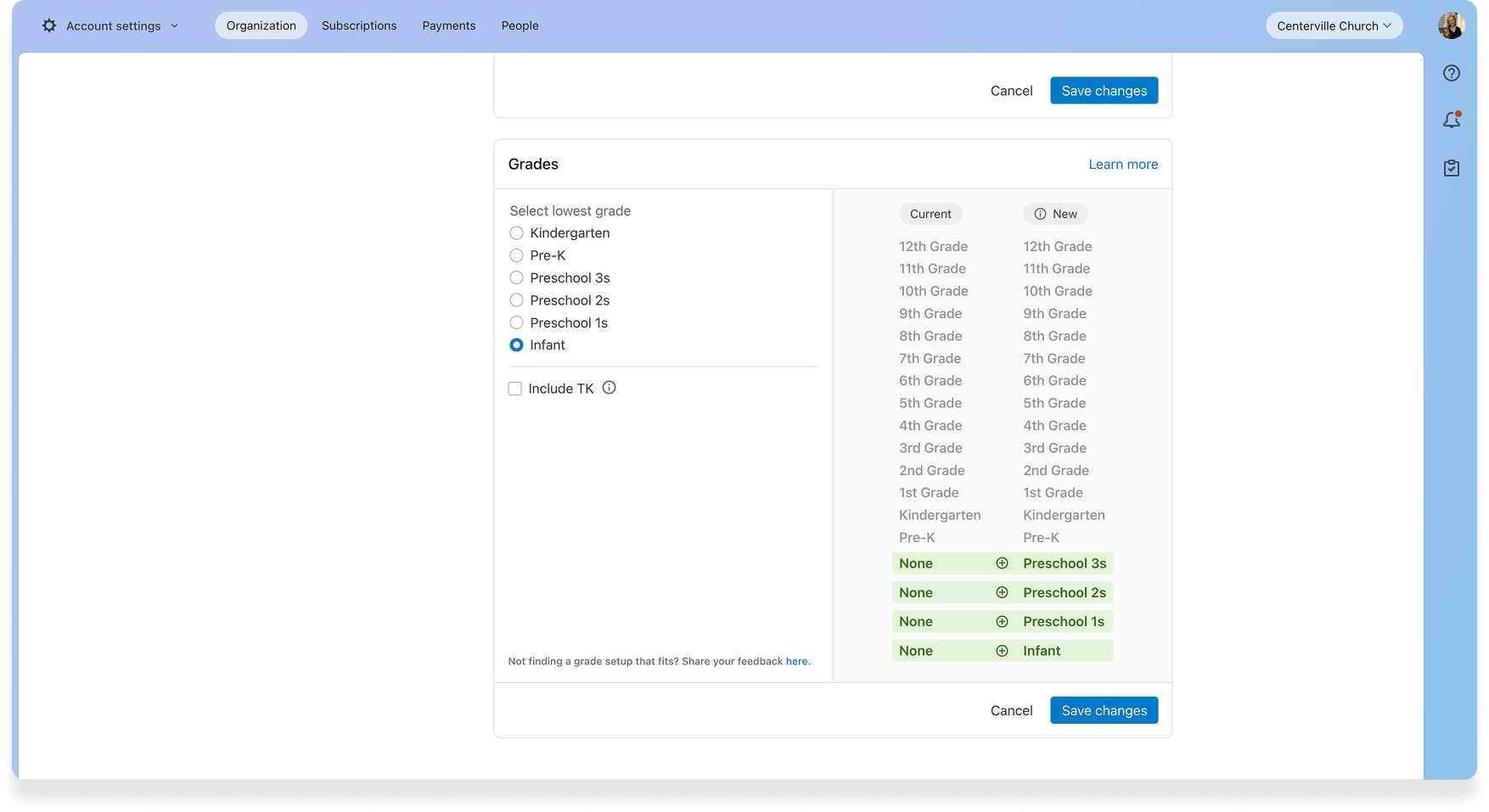
Bonus: International naming option (For Australia, Canada, and the UK)
One of the most delightful parts of this new release is that we were able to add the ability to update the grade naming conventions to match local regions in Australia, the United Kingdom, and Canada.
No more “12th grade” when it should be Year 12. Somewhere in Australia, a kid’s pastor is having a very g’day mate. 😉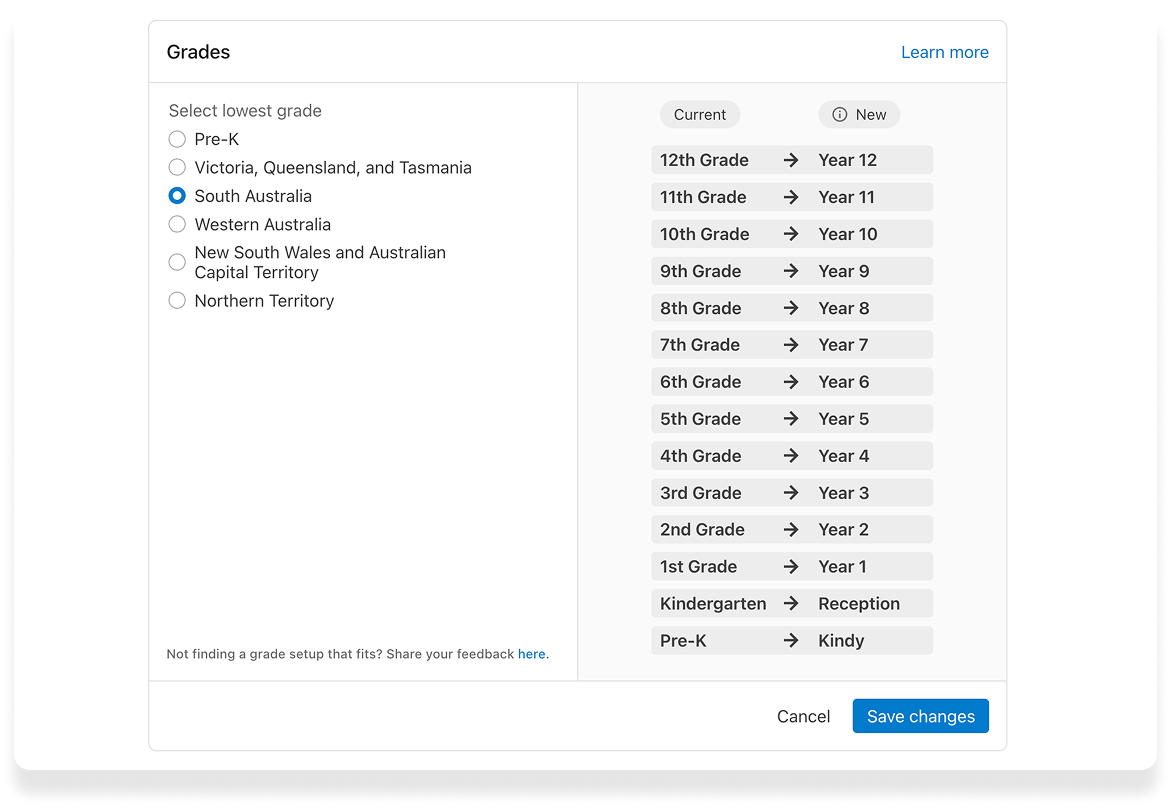
Here’s where it shows up throughout the system
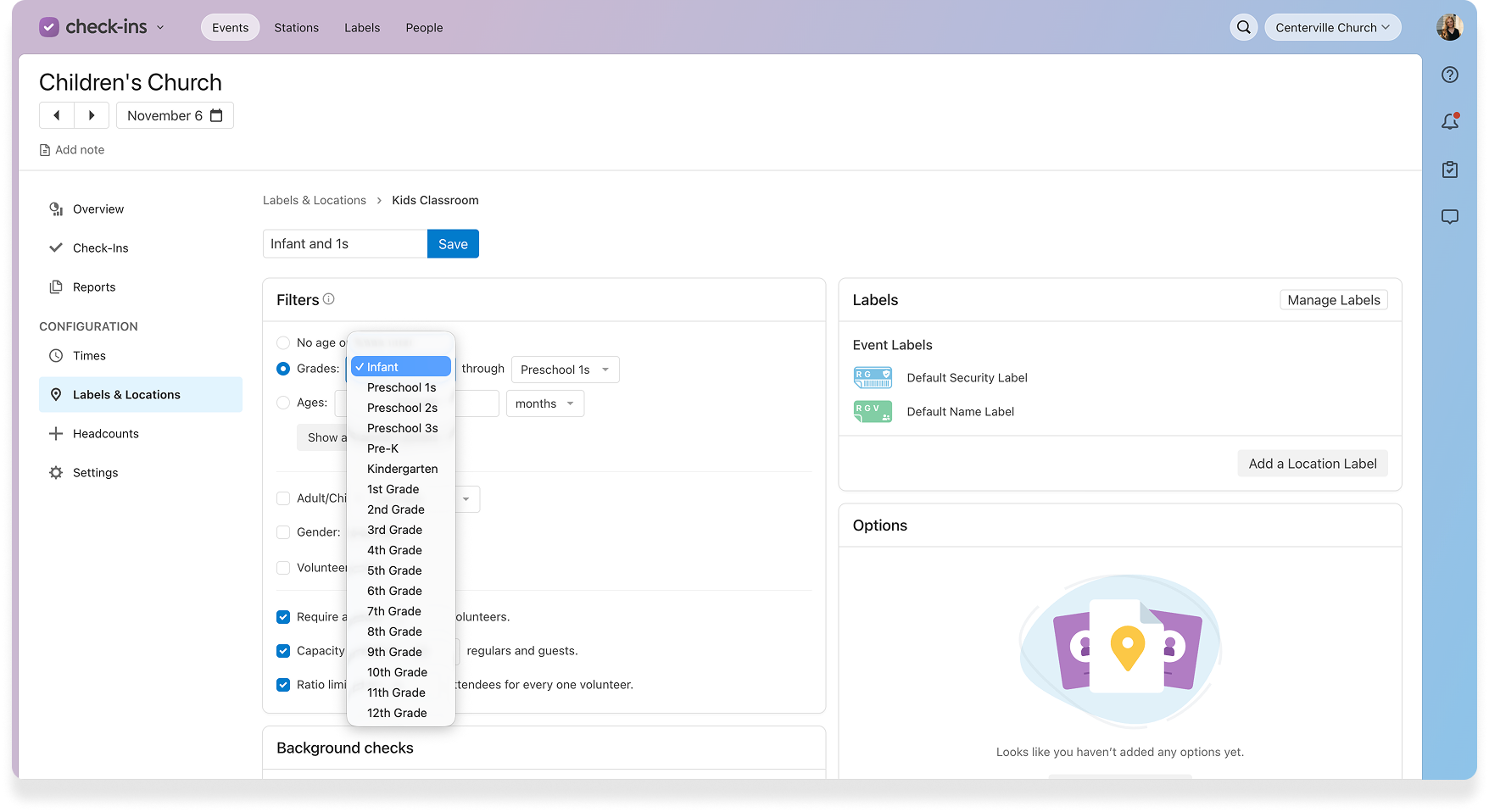
Once you update your grades settings, you’ll see this change applied everywhere your grade’s list lives. Here’s a few examples.
First, you can now base your locations in Check-Ins on multiple preschool grades.
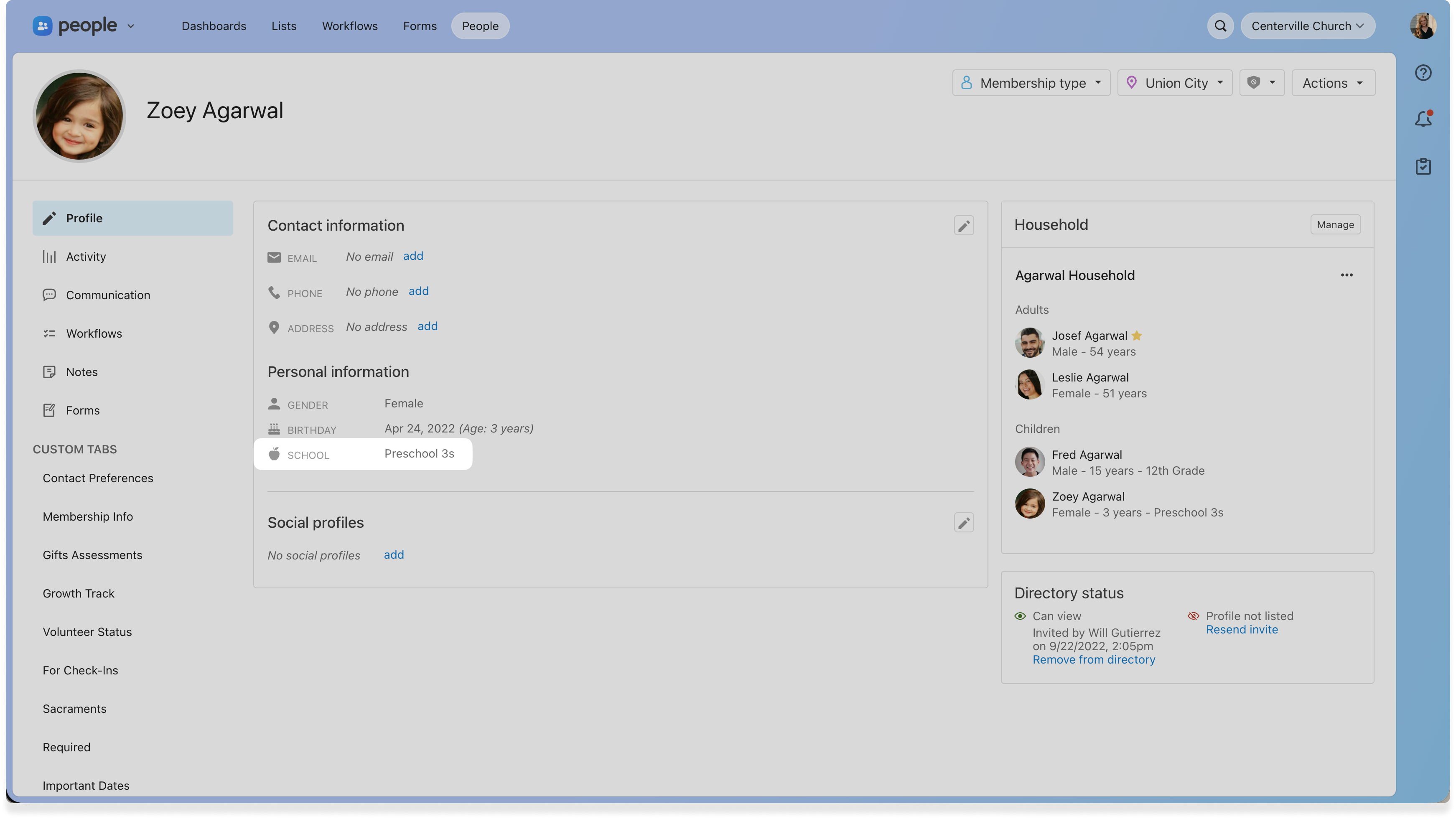
 People will now hold the correct information on each child, which makes it easier for you to pull reports and communicate with parents.
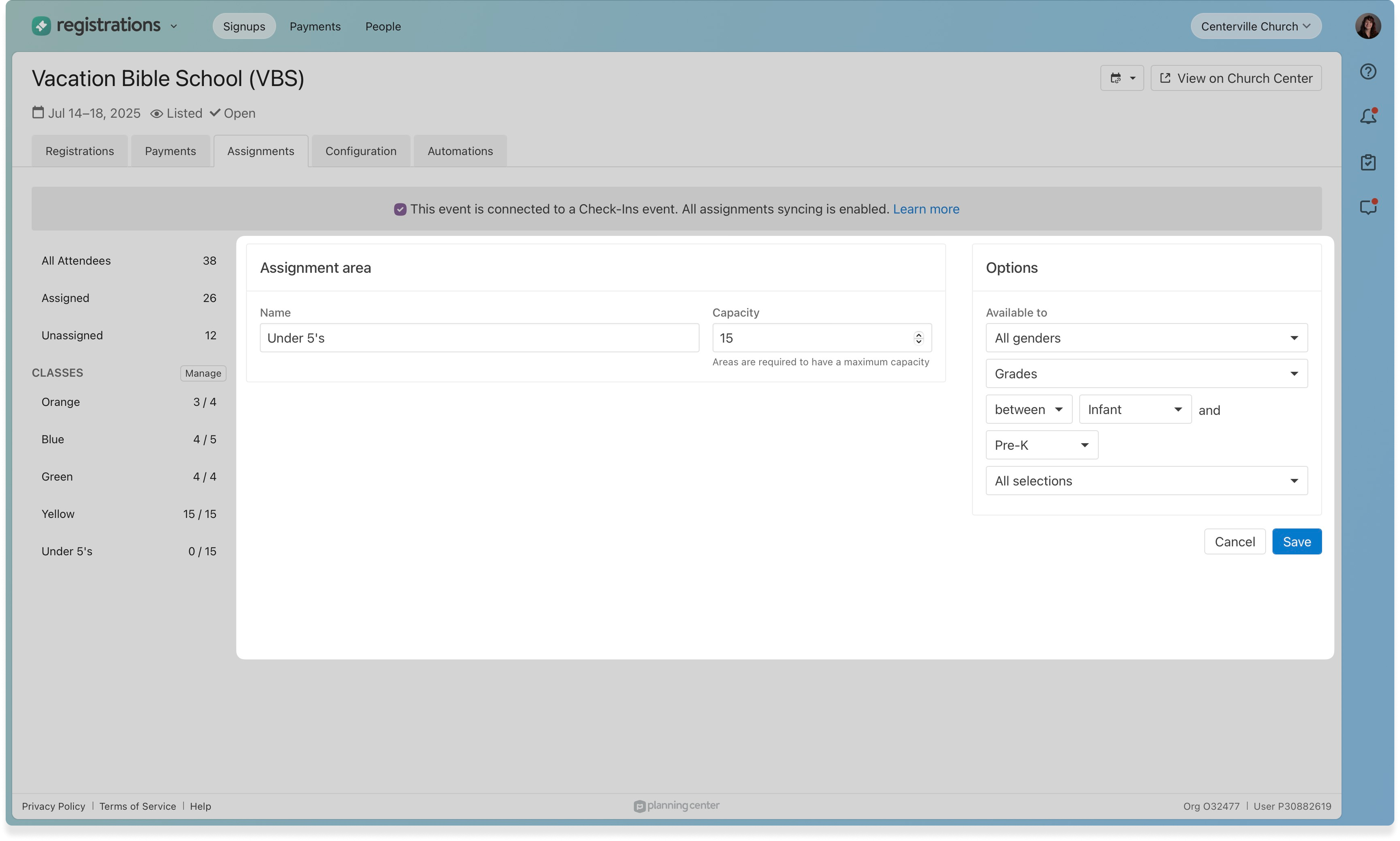
  You can include preschool ages on your event signups and then auto-assign children based on their grades in Registrations.
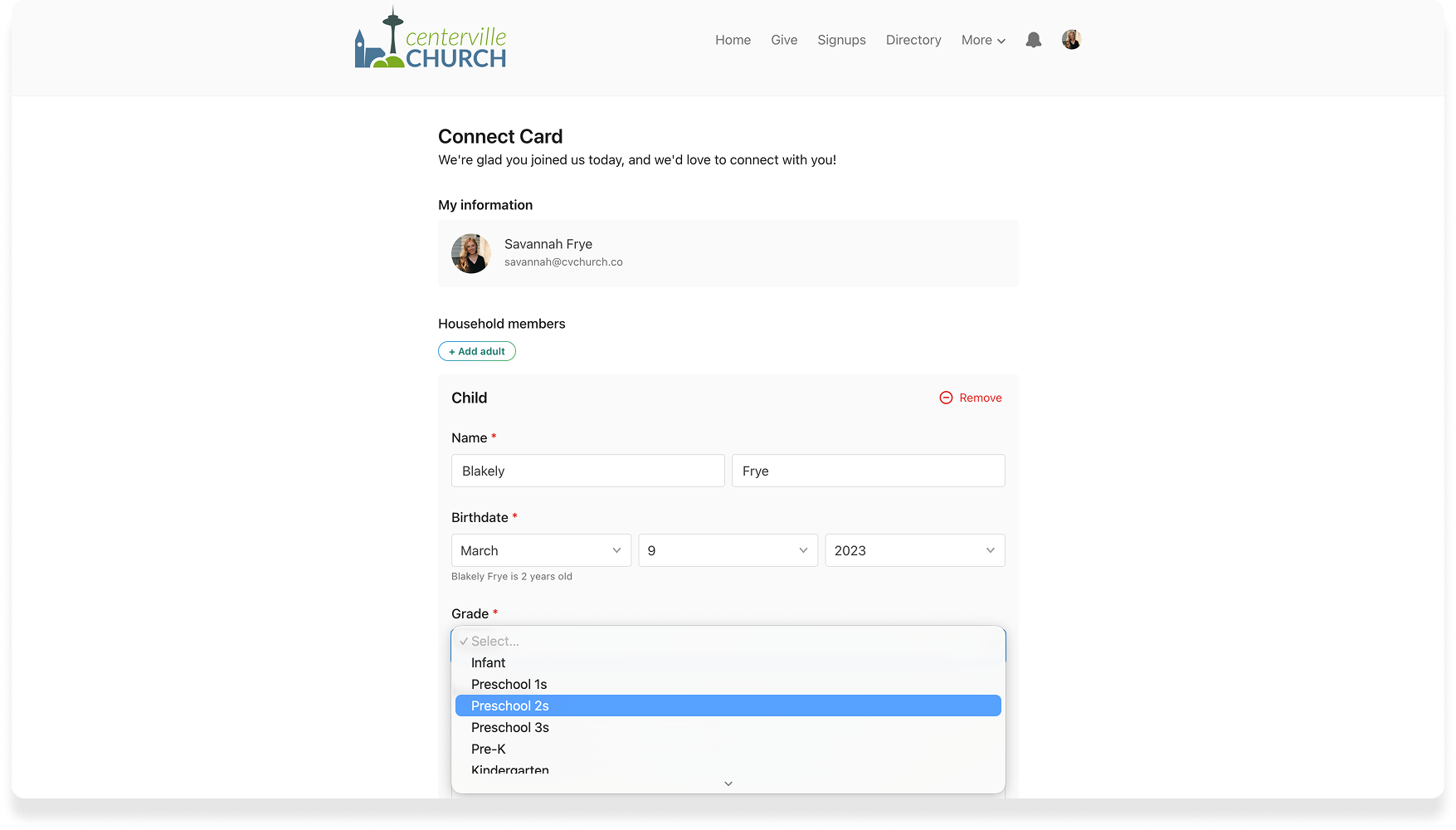
 Plus, parents and guardians can feel confident they are signing up for an event or filling out a form on Church Center.
See it in action
We’re so excited to get this into your hands. If you don't have access to these settings, reach out to one of your organization admins for help.
You can also walk through this demo to see how easy it is to update this setting across your account.