

You can now schedule when a selection type is available on Church Center, so you don't have to do it manually. Set a deadline for each camp session, or keep a selection hidden until you're ready to show it.
Set a show and hide time on any selection
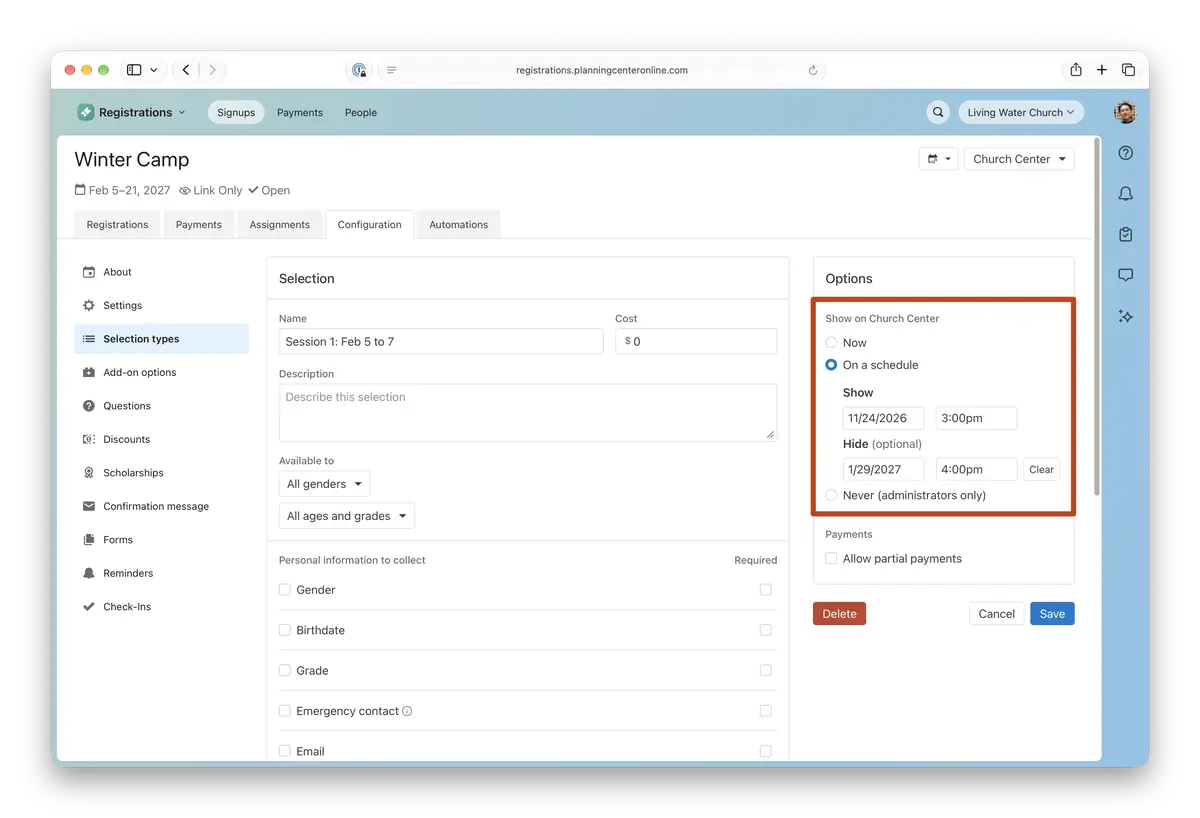
Open a selection type, find Show on Church Center in the Options pane and pick On a schedule. Set when the selection shows, and add a hide time if you want it to stop showing on a set date.
See when each selection is showing
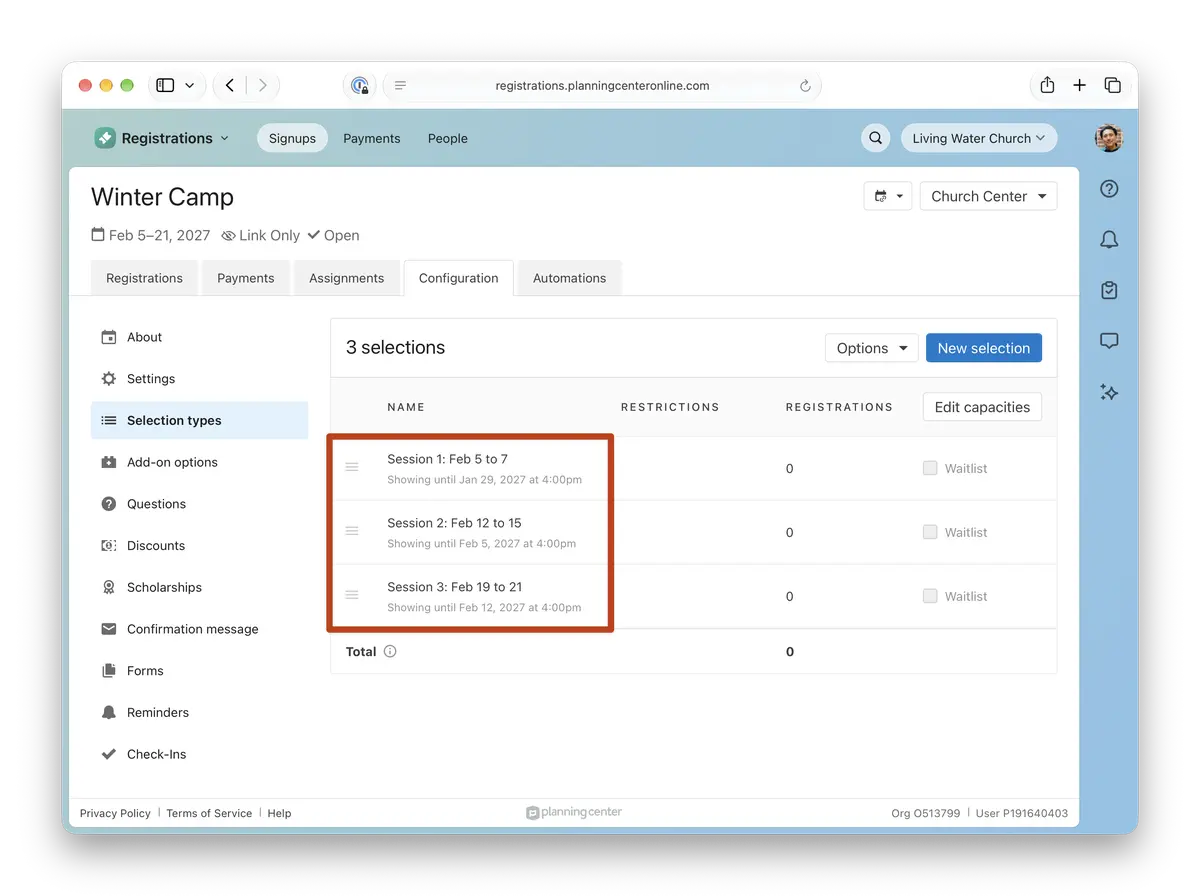
The Selection types list shows whether each selection is showing on Church Center, and when that changes, like Showing until Jan 29 at 4:00pm. Selections set to “Never” will show Administrators only, so they're easy to tell apart from ones that are hidden on a schedule. If your schedule would leave the signup with no public selections available, you'll see a warning before it happens by accident.
Why this matters
Deadlines for each selection. A camp can close one session on its own date while the others stay open.
One less thing to remember. Registrants stop seeing a selection once its hide time passes.
Open a selection when you're ready. Add a second session or a new option without showing it early.
💚 The Registrations Team