

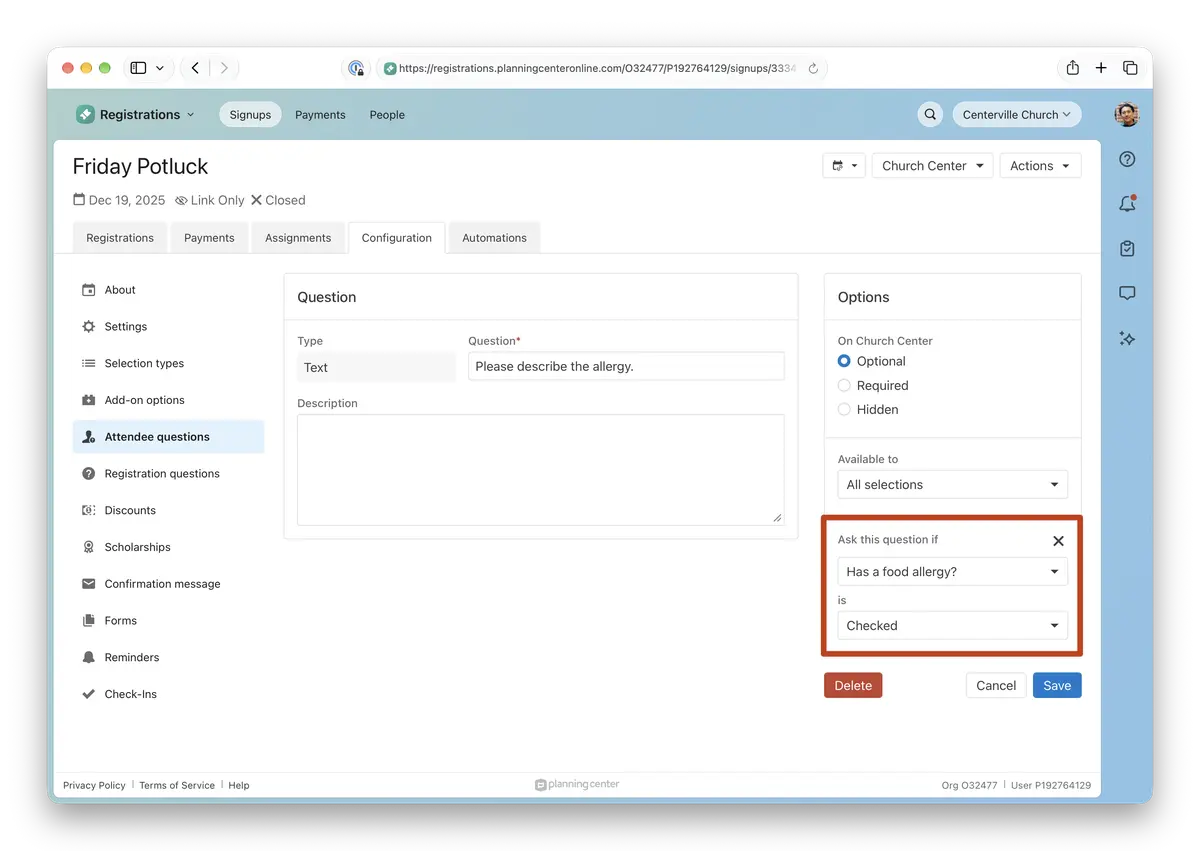
Questions on your signups can now be conditional, so each registrant only sees the questions that apply to them. Set a question to appear only when a registrant gives a specific answer to an earlier question. For example, ask “Please describe the allergy” only when someone checks “Has a food allergy.”
How it works
On any signup question, click Add condition in the Options panel, then pick the question and answer that should trigger it. Registration questions can only be controlled by other Registration questions. Attendee questions can control attendee and attendee information form questions.
Why this matters
Shorter, friendlier forms. No more scrolling past questions that don’t apply or typing N/A to get through them.
Cleaner responses. Registrants only answer what’s relevant to them, so your data is easier to work with.
Smarter required questions. A required question is only required when it's shown so nobody gets stuck on something that doesn't apply to them.
💚 The Registrations Team