

By default, announcements are sorted newest to oldest, with featured on top. But sometimes the newest announcement isn’t necessarily the most important.
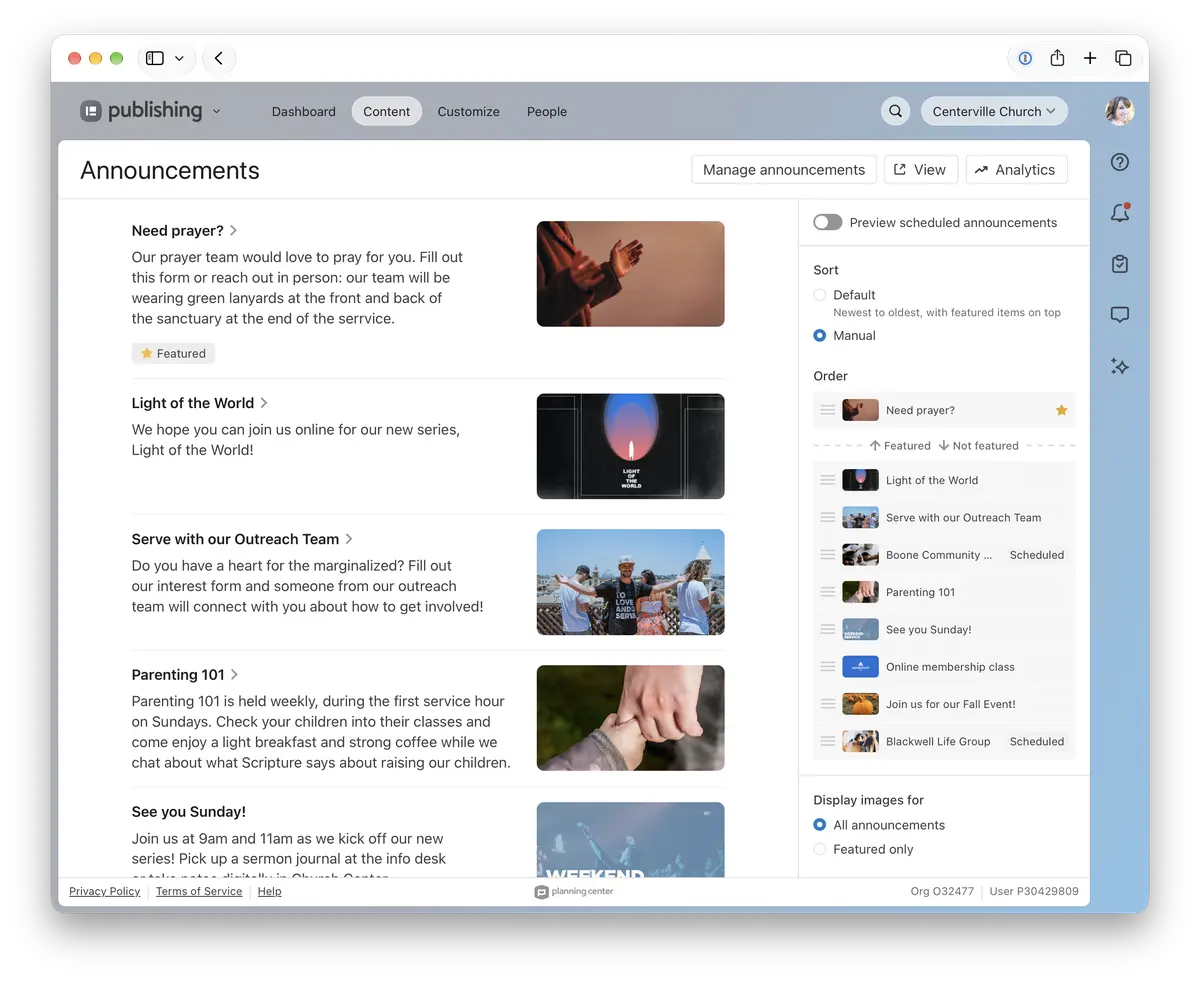
Now you can put your announcements in exactly the order you want, instead of the default newest-to-oldest. On the announcements page, choose manual sorting, then drag your featured and regular announcements into place. You can preview scheduled announcements in the list too, so you can arrange next week’s lineup ahead of time.
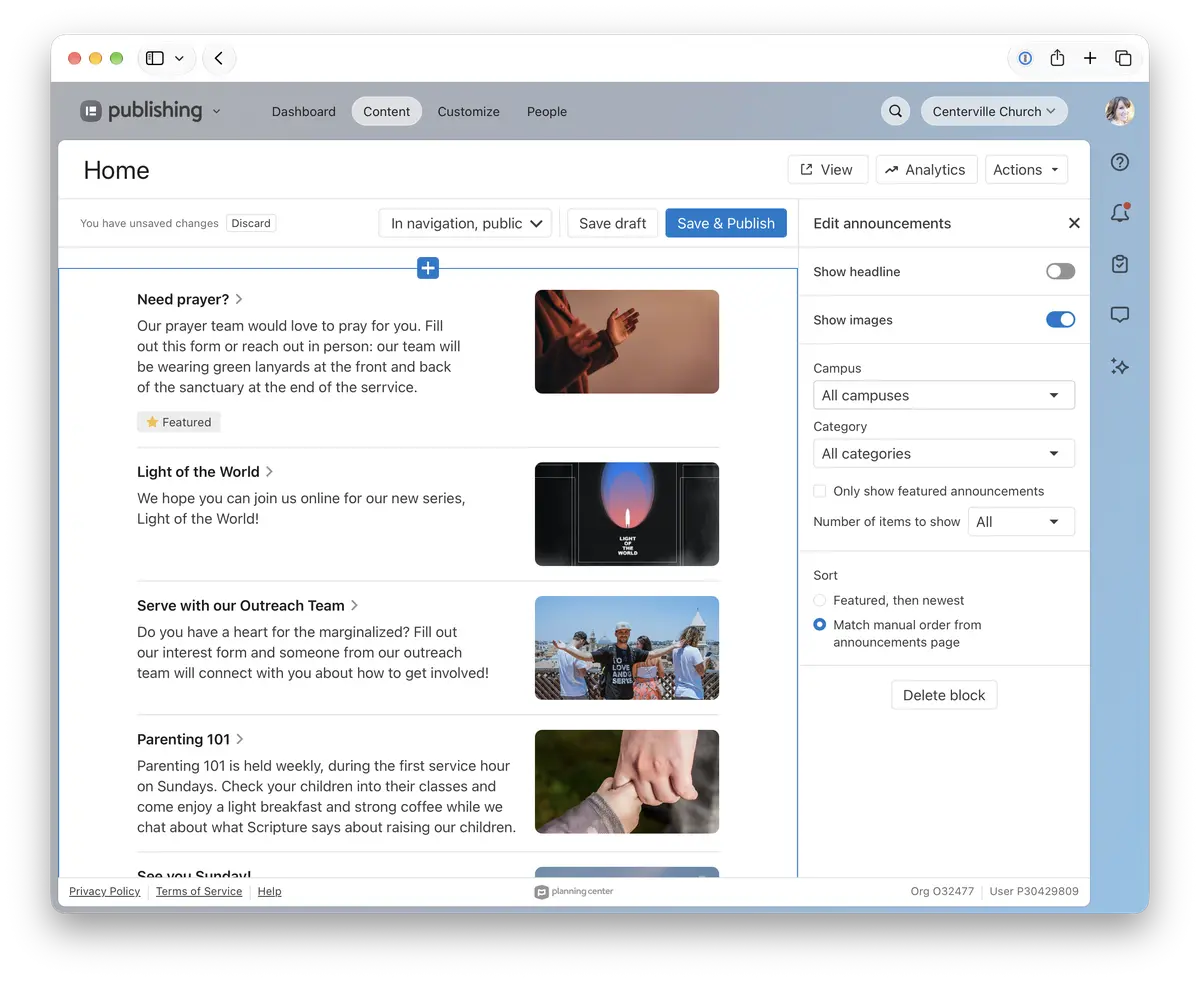
Announcements blocks on your custom pages can match your manual order too! Just choose Match manual order from announcements page in your block settings.
New announcements appear at the top of their section until you move them, so nothing gets buried. Manual sorting is available when you have 20 or fewer active announcements.
To see the expected order of items in Church Center app, make sure you’re on version 2026.11.1 or newer.
When you can lead with what matters most, plan the week in one sitting, and show the order everywhere, it’s easier to keep your congregation in the loop about what’s going on at your church. Head to your announcements page to give it a try — we can’t wait to hear what you think!
🩶 The Publishing Team