

You can now share a group by link without listing it in the Church Center group finder. The new Link only option lets anyone with the link view your group's Church Center page, while keeping it out of browse and search.
This option let's you share a sensitive group or short-term study with specific people, send a group link after a conversation, or review a group's page before making it publicly discoverable. You can share the link through an email, message, or QR code without adding the group to the group finder.
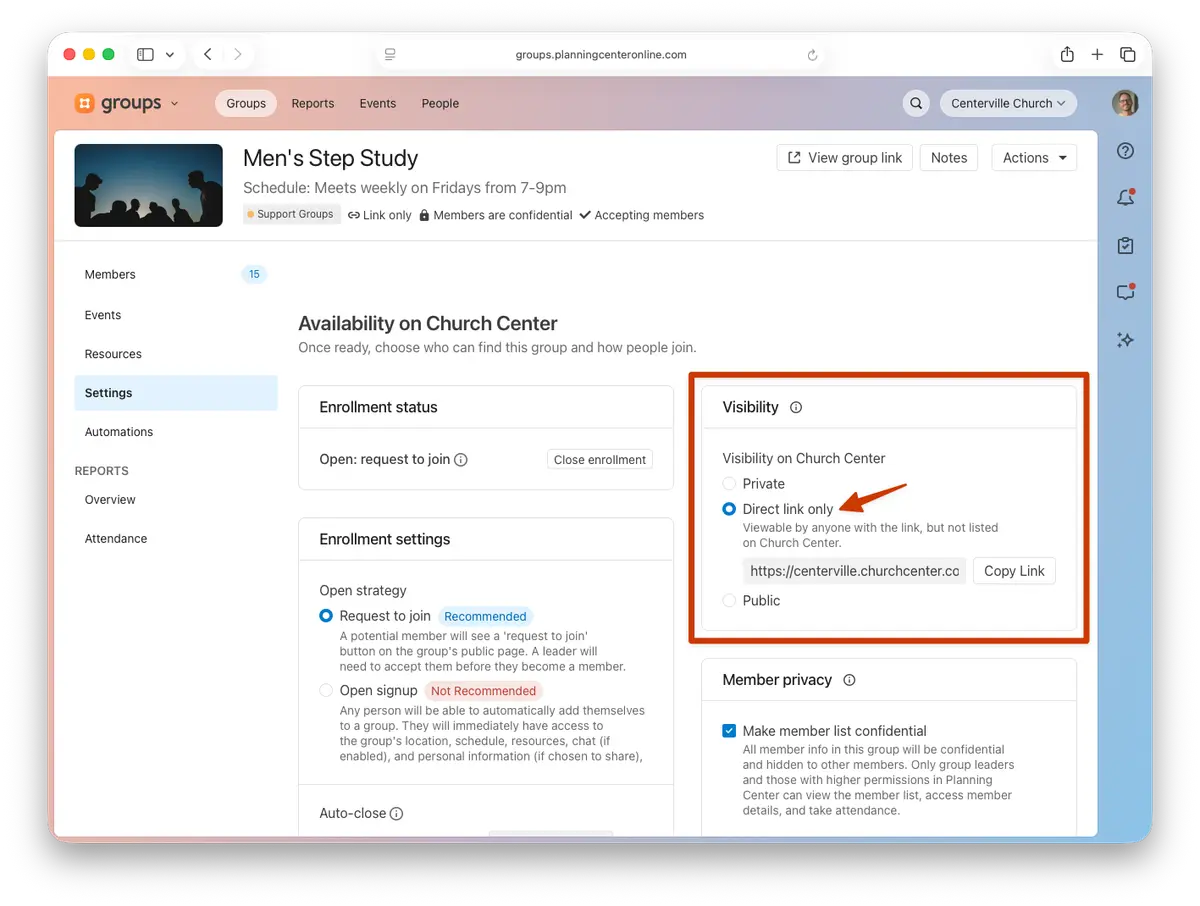
Choose how people find your group
In your group's settings, you'll now see three options:
Private (formerly Unlisted): Hidden from the group finder. Existing members, leaders, and applicants can still access the group when logged in.
Link only (new): Hidden from the group finder, but viewable by anyone with the link.
Public (formerly Listed): Discoverable in the group finder and viewable by link.
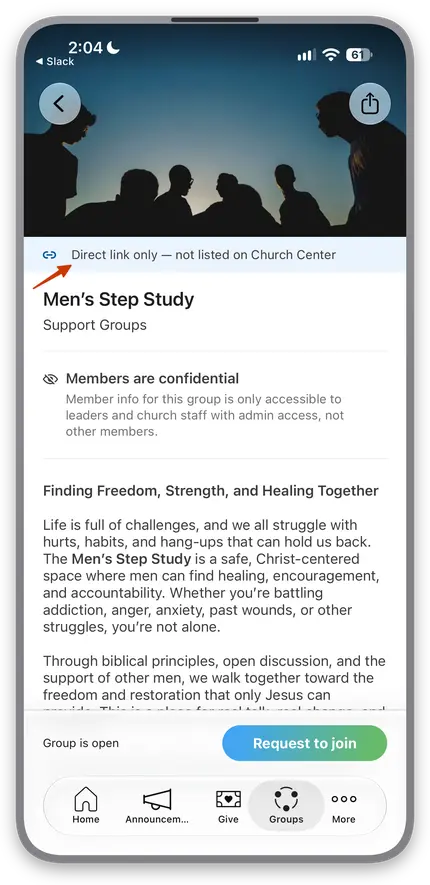
More ways to see and manage visibility
Church Center (web and app version 2026.10.5 or newer) displays a Direct link only banner on link-only group pages.
Link only is also included in group filtering and bulk editing, so admins can find and update link-only groups alongside Public and Private groups.
Calendar-connected event cards can also show the link-only status.
Developers can assign group visibility through the API.
A little link goes a long way.
🧡 Team Groups