

You can now combine several filters in Giving, making it easy to find the exact report you need. Choose a fund, label, payment method, payment source, or anything else on the list and keep adding until you’ve narrowed things down.
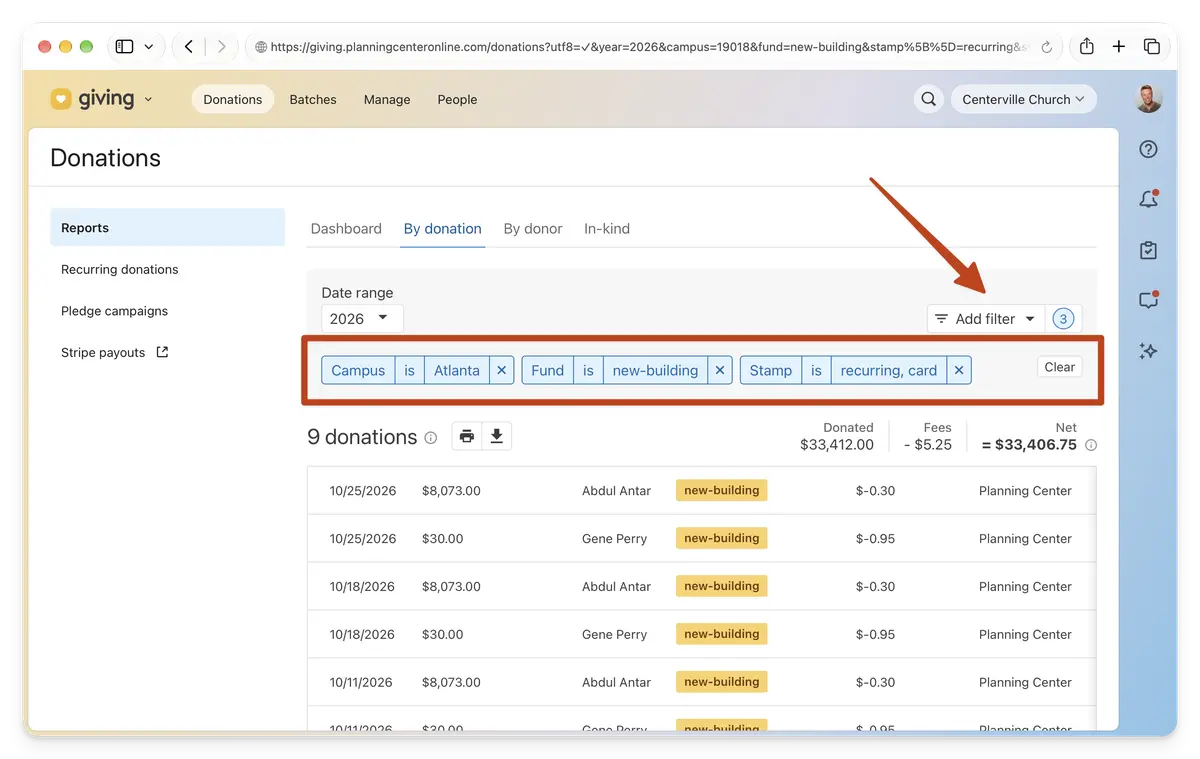
Each filter can also hold several values, so a quick report like “All recurring credit card donations to the New Building fund from the Atlanta campus in 2026" is a few clicks away. No more having to download a CSV and sort it out in a spreadsheet.
Note: For multi-campus churches, the existing campus filter has moved into this new "Add filter" control.
Your filters are saved in the page’s web address, so each combination has its own link. This makes it easy to bookmark any view you use often. Give it a try!
💛 The Giving Team