

Did you know station templates let you change all your station settings at once with one button or on a set schedule? And now, creating these templates is a whole lot easier!
Previously, the only way to build a station template was to set up your live stations exactly how you wanted them, then save a snapshot from the Templates page. Every tweak meant bouncing back and forth between your stations and your template.
But not anymore! When you create or edit a template, you can now choose each station’s settings right in the template, without changing the stations you’re using today.
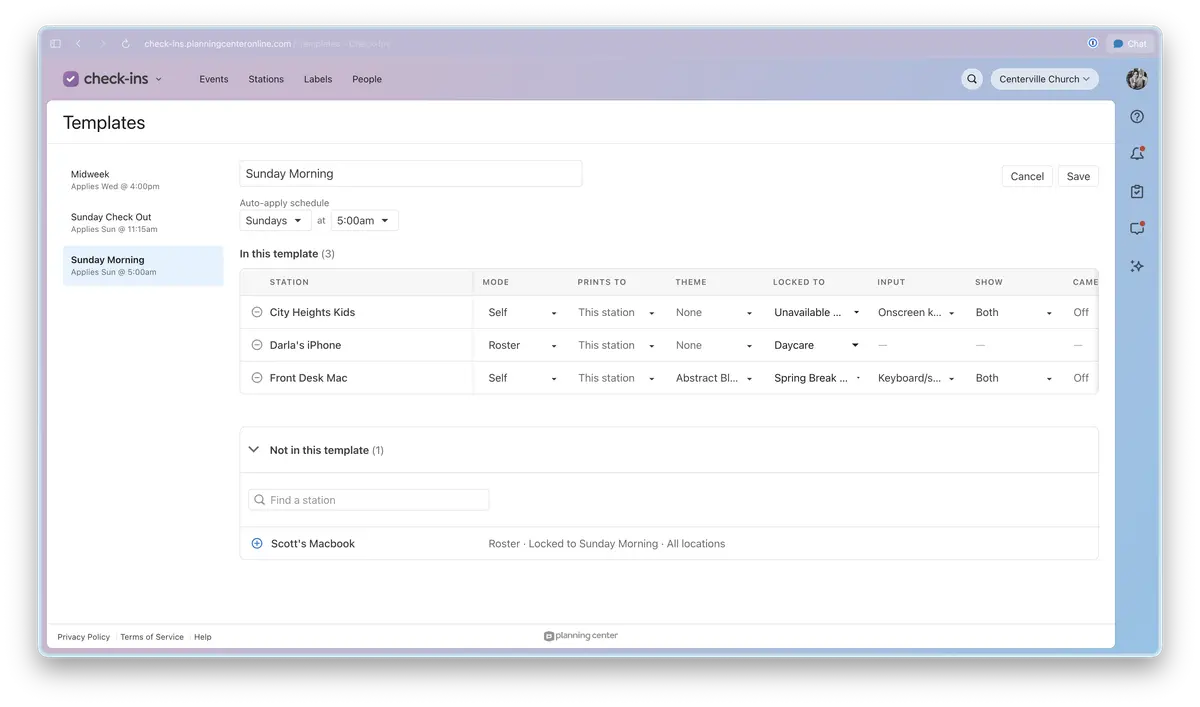 Once saved, applying a template is as easy as selecting the Apply now button, or you can put it on a schedule to automatically use it every week.
As always, if you have any questions, reach out to us by hitting the question mark (?) in the top right corner of any page in Planning Center. We love hearing your feedback!
Happy Checking In!
Team Check-Ins 💜