

The longer your church uses chat, the more useful it gets, and the harder it is to find things in it. Until now, tracking down an old message meant remembering which conversation it was in and scrolling until you found it.
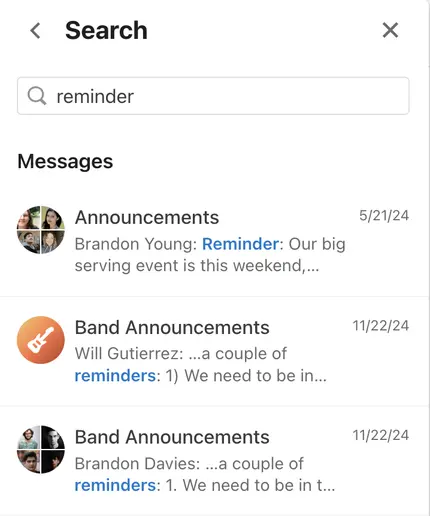
Now you can search. Tap the search icon at the top of chat and type a word, phrase, or name. Search looks across your groups, teams, plans, and direct messages, matching conversation names and message text.
Results are split into two sections:
Conversations with names that match what you typed
Messages that match, showing who sent them, when, and in which conversation
Tap a message to jump straight to it in the conversation, then tap back to return to your results. You’ll only see results from conversations you’re part of, and for leaders, that includes archived conversations.
Search is available now on the web and in the latest versions of the Church Center app and the Services mobile app.
💙 The Chat Team