

Your church's chat conversations should feel safe for everyone. Now, any member of a conversation can report a message they find concerning—whether it's spam, harassment, inappropriate content, or something else.
To report a message, long-press on it (or select the "..." menu on desktop) and choose Report message. You'll see a preview of the message, select a reason for the report, and confirm.
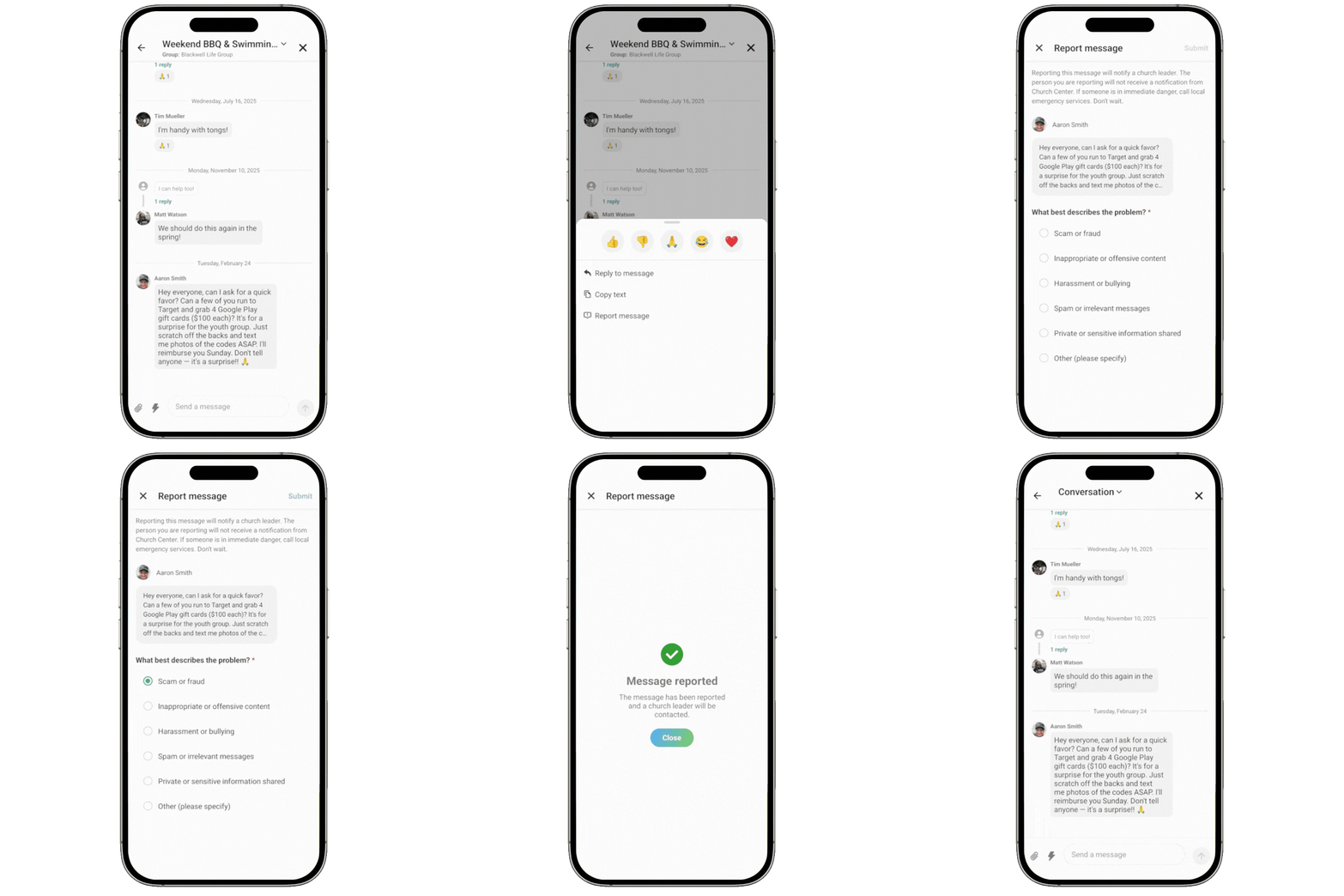
When a message is reported, the right people are notified automatically. Group and team leaders receive an email with the details of the report, including the message content, who sent it, and who reported it. The email also includes suggested next steps, like contacting the people involved, deleting the message, or adjusting the conversation's settings.
If the person being reported is a leader, the notification goes to your organization administrators instead—so there's always someone appropriate in the loop.
💙 The Chat Team