

The moderation dashboard used to show every report in one long list, whether someone had handled it or not. Reports that didn’t need any action had no way to be marked done, so they stayed in the list too.
Now the dashboard opens to Needs review, showing only the reports that still need attention, with a count of how many are open.
Filter by status
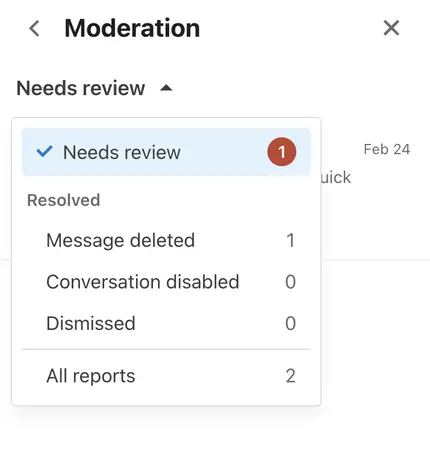
Use the dropdown at the top of the dashboard to switch between:
Needs review (default)
Message deleted, Conversation disabled, or Dismissed for resolved reports
All reports
Dismiss reports that don’t need action
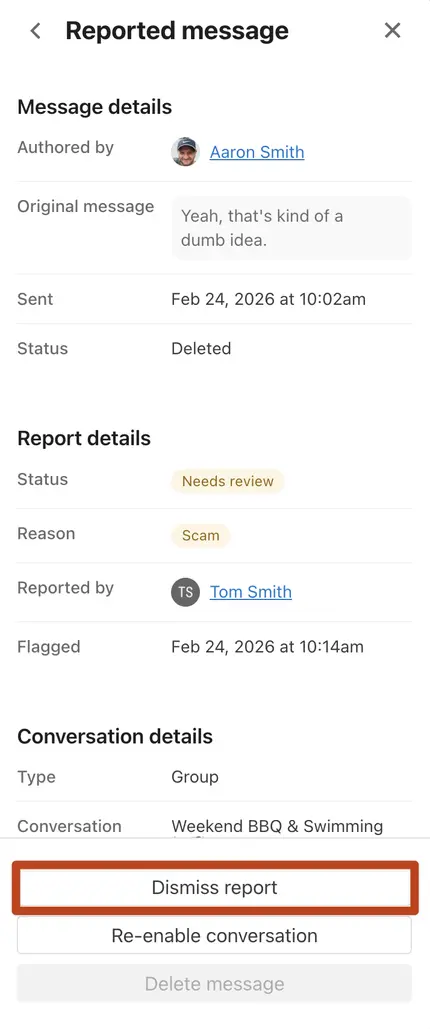
Not every report calls for deleting a message or disabling a conversation. You can now dismiss a report to mark it resolved. If you need to revisit it later, select Reopen report to move it back to Needs review.
See who handled it
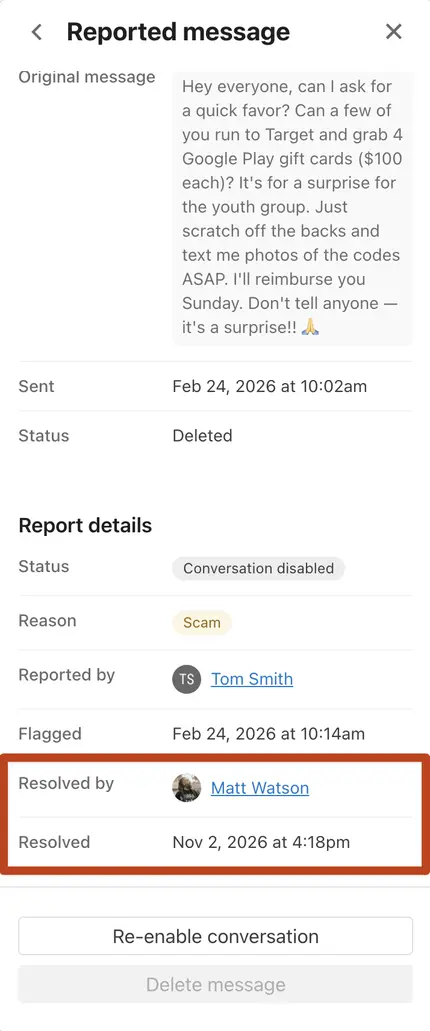
Each report now shows who resolved it and when. When more than one person is moderating, everyone can see what’s already been taken care of.
💙 The Chat Team