

You can now block out rooms and resources for specific periods of time, giving your team a clear picture of what's actually available for booking.
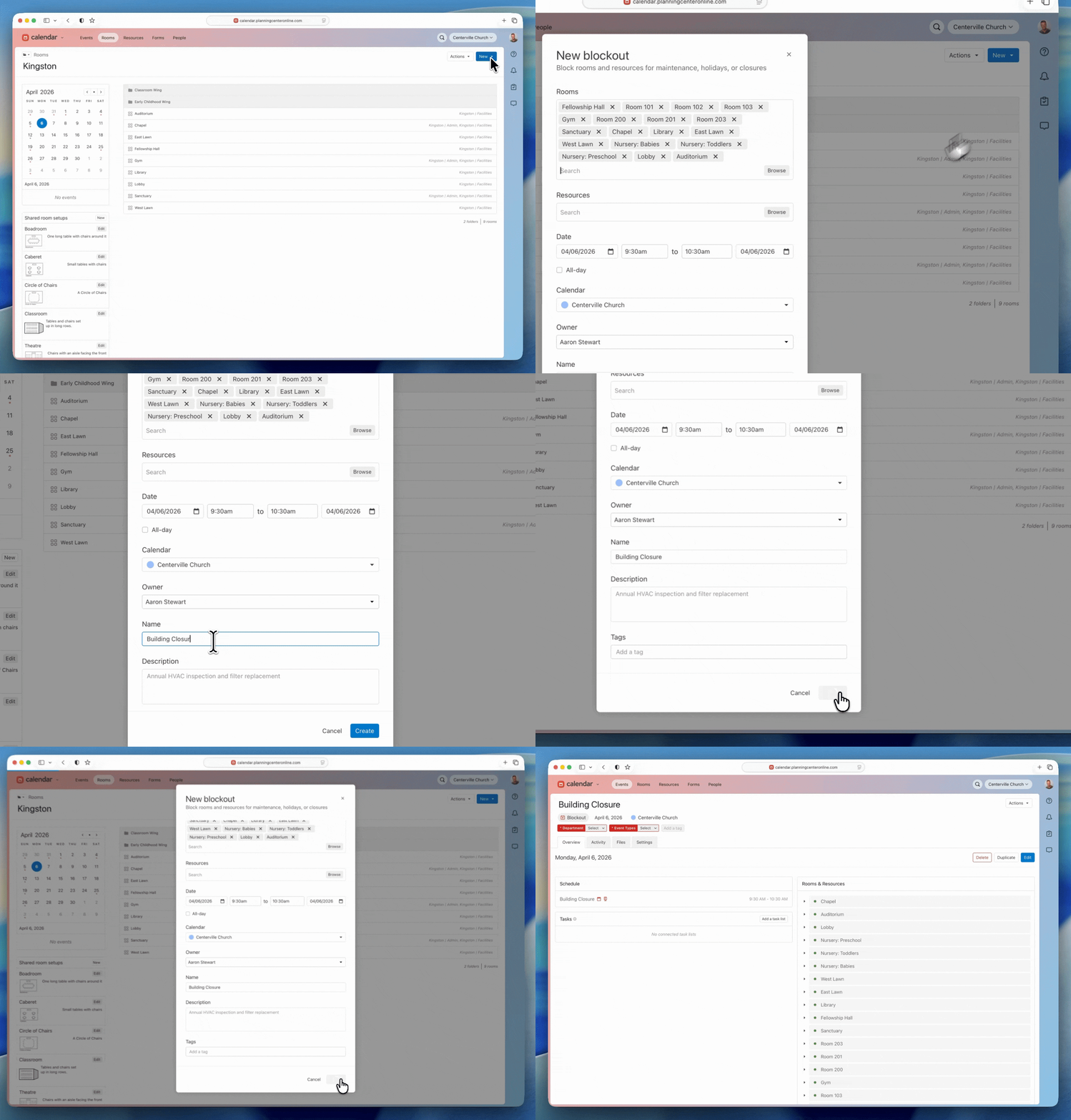
Blockout dates work like events, but with a key difference: when a room or resource is blocked out, no one can request it during that time. Any conflicting bookings that overlap with a new blockout are automatically rejected, and the affected event owners are notified by email. You can create blockouts from a room or resource's page, or from a folder to block out everything in it at once.
Why this matters
Holiday closures made simple. Block out your entire building for Christmas week from one folder, and every room inside it is covered. No more creating workaround events and hoping people don't book over them.
Maintenance without surprises. When the Fellowship Hall floor is being refinished, block it out so event planners know immediately that it's unavailable — no back-and-forth with the facilities team.
Clear availability for everyone. Blocked-out rooms and resources show as unavailable throughout Calendar, so staff see the real picture when they're planning events.
No approval bottleneck. Blockouts are created by room and resource editors and bypass the normal approval process, so your facilities team can act quickly when something comes up.
Blockout dates appear in the events index alongside your regular events, and you can filter to show or hide them. We hope that this makes it simpler for you and your teams to stay on the same page!
❤ Team Calendar