

You can now see every Planning Center product you pay for, change your plans, and preview your next bill all on one page. The redesigned Products tab under Subscriptions in Accounts replaces plan dropdowns with a slider and adds an itemized upcoming bill, so you no longer have to piece together what you're paying from two different pages.
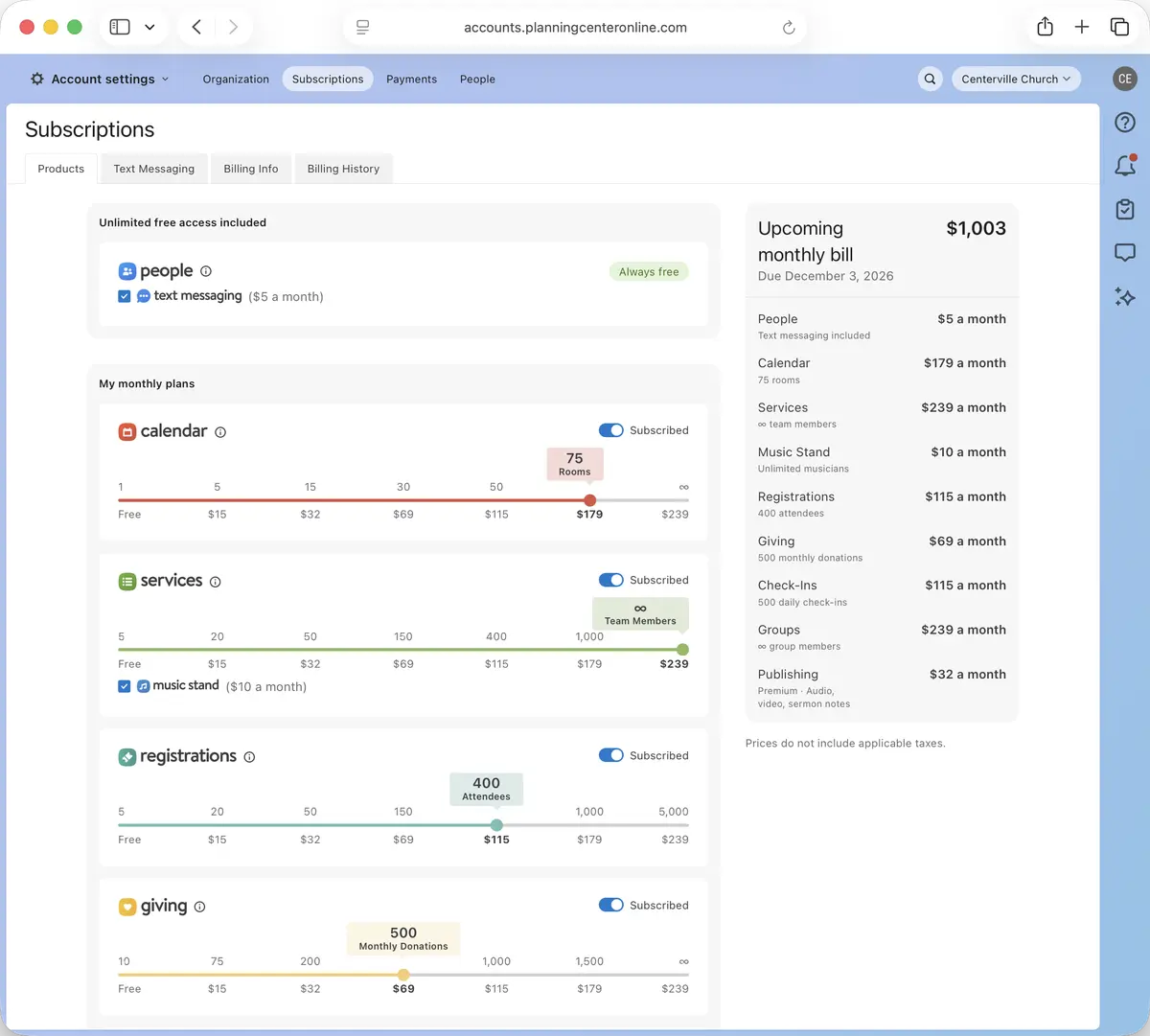
See every plan at a glance
Your products are now grouped into three sections, so it's easy to tell what's free, what you're paying for, and what you haven't tried yet. Each card shows the product's current tier, and a product in a free trial shows how many days are left.
Unlimited free access included: People, which is always free.
My monthly plans: everything you subscribe to.
Explore More: products you can add by clicking Select a Plan.
Change a plan with the slider
Drag the slider on a product's card to move to a bigger or smaller tier, or turn off its Subscribed toggle to drop the product. Add-ons such as Music Stand are checkboxes on the product they belong to.
Nothing changes until you confirm, and any card you've changed stays highlighted. That makes it easy to try a few combinations and see how each one affects your bill. Downgrades and removals take effect at the end of your billing period, and the card shows the date they'll start.
Know what your next bill will be
The Upcoming monthly bill card lists each product and add-on you're paying for, with prices before tax, and shows when your next bill is due. As you make changes, it shows what's due today and what your new bill will be. Click Review changes to see the details before you confirm, or Discard all changes to start over. On a phone, your upcoming bill stays pinned to the bottom of the screen.
When you upgrade or add a product partway through a billing period, you're charged right away for the rest of that period. That's the Due today amount, and your next billing date stays the same. If any products are in a trial, your new bill is an estimate of what you'll pay once those trials end.
🩷 Accounts Team