:quality(75))
:quality(75))
You're blitzing through the church lobby when a volunteer mentions the kids' check-in tablets are acting up again. Mental note: add that to the list.
Then you're grabbing things from the supply closet and remember you need to follow up with the new small group leader. Another mental note.
By the time you're at your desk, you've accumulated five things you don't want to forget—but you've already forgotten two of them.
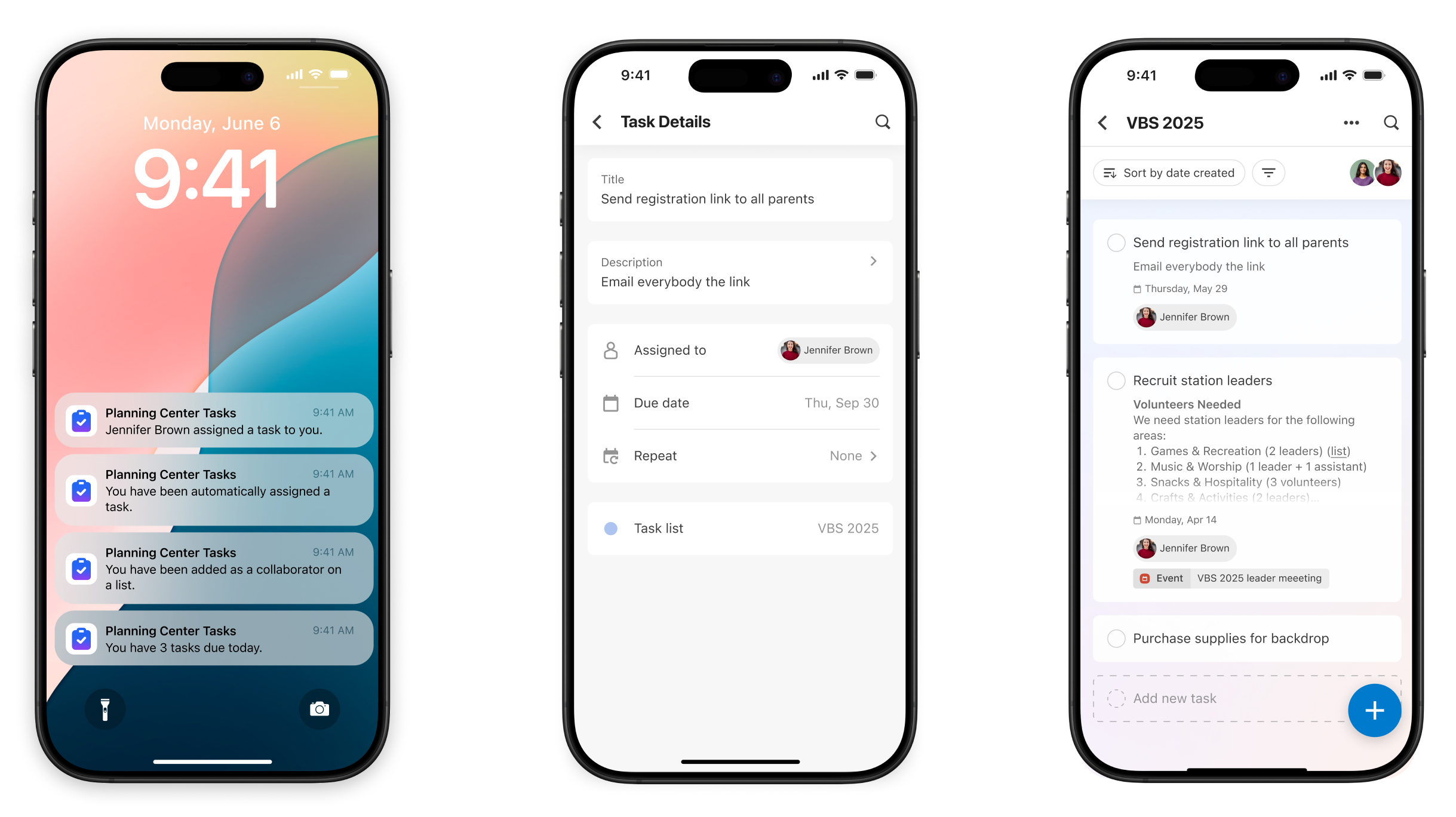
We built a mobile app for tasks. Now you can note tasks the moment they come to you, get notified when something needs your attention, and check things off your list without returning to your desk and opening your laptop.
Stay connected with notifications, not chained to your computer
Notifications come to your phone now, too. When someone assigns you a task, you'll know. When a deadline is approaching, you'll get reminded. You don't have to stay logged with your eyes peeled to your computer to stay informed.
The big change? You can finally write down tasks as they happen, no matter where you are or what you’re doing. Walking to your car? Create a task. Sitting in the waiting room at your kid's orthodontist appointment? Assign a task to your worship coordinator. Lying in bed and remember something important? Add it to your list before you forget for the next day.
Your tasks, in ministry context
You might be wondering: Why use Planning Center Tasks instead of another task management app, including the native one on your phone? Because your church work doesn't live in isolation.
With the Planning Center Tasks app, your to-do list lives where your church data lives. When you open a task, you can see who assigned it—if it’s related to a person in your database, a specific event you’re planning, a person you’re discipling, or a volunteer you’re scheduling—what event or service plan it's connected to, and so on.
Your personal task app doesn't know that "confirm sound check" is tied to this Sunday's Service plan. Planning Center does.
Simple by design
This app is straightforward: Create tasks, complete tasks, get notified, keep going.
We didn't build a complex project management system for your phone, and we’re not going to try to cram every Planning Center feature into a mobile interface. We built this app to do one thing really well: keep you on top of your tasks from wherever you are.
The simplicity is also intentional because it lays the foundation for what’s to come: more productivity tools across the entire Planning Center ecosystem, right to mobile, all in one app.
What you can expect from Planning Center Tasks
The tasks mobile app works exactly as you’d hope:
You’ll see all the tasks assigned to you
You can create new tasks and assign them to anyone on your team
You can mark things complete
You'll get push notifications when tasks are assigned to you or due
Planning Center Tasks is available now on iOS and Android. Download it now to stay on top of things wherever you go!